First, sign in to your blog.
1. Go to www.blogger.com and enter your email address and password.
2. Click on the 'LAYOUT' link.
3. Click on 'Add A Gadget'
4. Scroll down to 'Blog List' and click the + sign.
5. For title you can type 'Links' and then click on 'Add a blog to your list'.
6. Type in or copy/paste the whole address to another website or blog. The name of the blog or website should pop up automatically. If it does not, you will have to type in the name of the blog or website.
7. To add another link, click on 'Add To List' and repeat step six.
8. Continue to add all of your links.
9. Finally, add the link to my blog so you can keep up to date with directions. The address is www.artisfresh.blogspot.com
Tuesday, April 21, 2009

Monday, April 20, 2009
Creating a 'Post'
Before you create a post, you need to have something to post. This could be an article you found, something you wrote [a poem, lyrics, an opinion], or other information. **Include the source of your information in your post** If you are writing about someone or something, you should find a photograph or image of that person or object. You could also just find something colorful online and post that too like I did here:
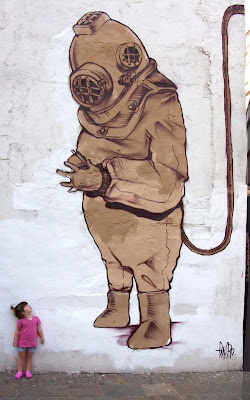
If your posting a piece of artwork, make sure you add the name of the artist. The piece above was done by Muro.
1. If you're not signed in to your account already, go ahead and do that now by going to www.blogger.comand type in your email address and password.
2. Click on 'New Post'. Type in a 'Title' for your post. Below the title type up your post. You can copy and paste information [remember to include where your getting your information]. Click the 'Check Spelling' icon [ABC] to locate mispelled words and correct them.
3. To include a picture in your post, first locate one online.
-Find pictures that relate to your post AND you find nice to look at.
-SAVE the picture to the picture folder or desktop or a jumpdrive [make sure you remember where you save it!].
-Click on the 'Add Image' icon [next to ABC].
-Click on 'Browse', locate your picture and click 'Open'.
-'Choose a layout' [left, center or right. small, medium or large.]
-Click on 'Upload Image'.
-Click on 'Upload Image'
4. Click the 'Preview' button to see what your post will look like.
5. Finally, click on 'Publish Post'.
Tuesday, January 6, 2009
Tuesday, December 30, 2008
Friday, November 7, 2008
Thursday, October 30, 2008
Monday, September 15, 2008
Journal Assignment 2
Due: Tuesday September 23
1.) Go to http://color-stripes.blogspot.com/ for examples of the assignment.
2.) Pick up an object in your neighborhood (a piece of trash or nature). Tape it into your journal.
Figure out how many colors are in your object. Draw out that number of rectangles. Color in the rectangles to match the colors from your object the best you can with color pencils.
Answer in your journal:
How many primary colors are in your object? What are they?
Extra Credit: Watch a video by an artist named BLU at http://www.vimeo.com/426534 .
Answer these questions in your journal:
1.) What color[s] did BLU use in his video?
2.) Where does the character in the story end up?
3.) What does the artist use to tell the story? [think about what we've focussed on in class]
*For fun, check out http://blublu.org/sito/video/muto.htm
Subscribe to:
Posts (Atom)